Home Computer Security – Is Yours Fully Secured?

Today, we are in the internet supersonic age. Unless you live under a rock you know computers started to dominate the world in the 1990s and haven’t let up.
People are using computers for not only calculations, but also to store information. This activity has raised many questions about home computer security.
Internet Security
Plenty has been written and everyone knows you should have some type of internet security software on your pc. Lots of people have experienced some type of computer problem resulting from computer hackers.
Most new computers even come with a 30 or 90 day trial of computer internet security software. We at SecurityHunt also endorse the idea of having a security software program active on your computer, along with keeping your operating system updated.
Stolen Laptop
To talk about home computer security fully, we must include the possibility of someone stealing your computer. Just imagine a situation in which one has the habit of storing secret information, such as passwords along with the usernames, credit/debit card information, bank account information such as bank statements thinking that they may forget them.
A house burglar breaks into your home during the day while everyone is at work and school. He cleans out your home and steals your laptop. Once he is gone from the scene, he flips on the laptop and starts the second phase of his burglary.
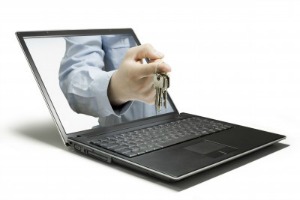
Your computer has no password protection which allows him to open up your web browser. He can see your bank’s website address and clicks right on it. Oh, your user id pops right up. Now his only obstacle is your password. Guess what; he has a software program that within forty five seconds finds your password and breaks into your account.
Now, not only are all your flat screen TVs and jewelry gone, so is your checking and saving accounts. This happens every day.
Computer Protection
This website is about home security and we include in that protecting your personal computers. Most of us use our computers on a daily basis, so recommending to somehow locking up your personal computers is not practical.
Instead, this is another vote to prompt you to provide the best security system you can for your home, belongings and family. Do you think you don’t have a lot of valuable items lying around that a burglar would want, look again? Now consider replacing everything, along with your bank accounts. Are you feeling a little overwhelmed?
We just felt obligated to bring up
the subject of home security. Your safety and peace of mind all starts with a
good overall alarm and security system. Which includes your home computer security.
Home Computer Security
Let’s go back to the stolen laptop. This should show you that a password protected entry into your operating system is a very good and safe idea. Once you get into the habit of entering every time you log on, you will soon realize it is not a hassle at all.
And set up different passwords for every user in your family. I know they will all complain, but most people are used to password entry from either work or school. So doing the same at home shouldn’t be a big problem.
Your Passwords

Now let’s talk about the password itself. We all have many accounts at different websites. Some are online stores we buy from, or social media websites like Facebook and Pinterest. Many of us came up with the idea of creating one password that we can memorize and that will work with most websites.
We use this password over and over and we love the convenience. However, using it over and over means if a thief discovers it, they have access to everything we do on the internet.
We are not going to try and talk you
out of using the password for social media site and other all financial
websites. But we do highly recommend you using a totally different password for
any bank or other financial institution.This should be a part of your home computer security plan.
And be sure any other member of your family who access to these financial accounts does the same. This change could turn out to be huge if your laptop is ever lost or stolen.
Conclusion
We are all well aware of the potential dangers from the internet to our personal computers and laptops. And we make a choice to either protect our internet information or not.
However, most of us do not give enough consideration to protecting the entry into our computers from unauthorized users.
What if our desk top computer or laptop is carted off by some thieves? Will our computer security system protect our financial accounts?
Take action to prevent this worry from becoming a reality to you. Better safe than sorry applies here!
Related Articles to Home Automation
Home Automation and SmartThings
Home Computer Security - Is Yours Fully Secured?
Digital Home Security Systems: Welcome to the Digital Life
Do Home Security Systems Reduce the Crime Rate?
We Hope Our Website Is Helpful to You
Would you like to know how we are building this website?
Have you ever thought about building your own website and making some money from it?
Would you like to learn more?
Check this out! Work From Home
Please Stay Safe!
We Care!
